Oh, snap! (Send your photos before it’s too late!)

dogs, How-to, photography, Uncategorized
img_3341

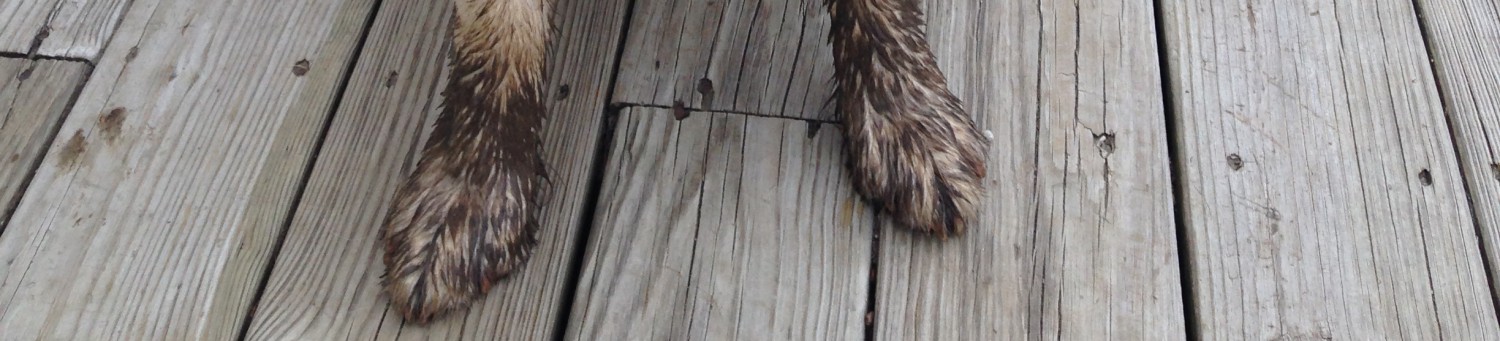
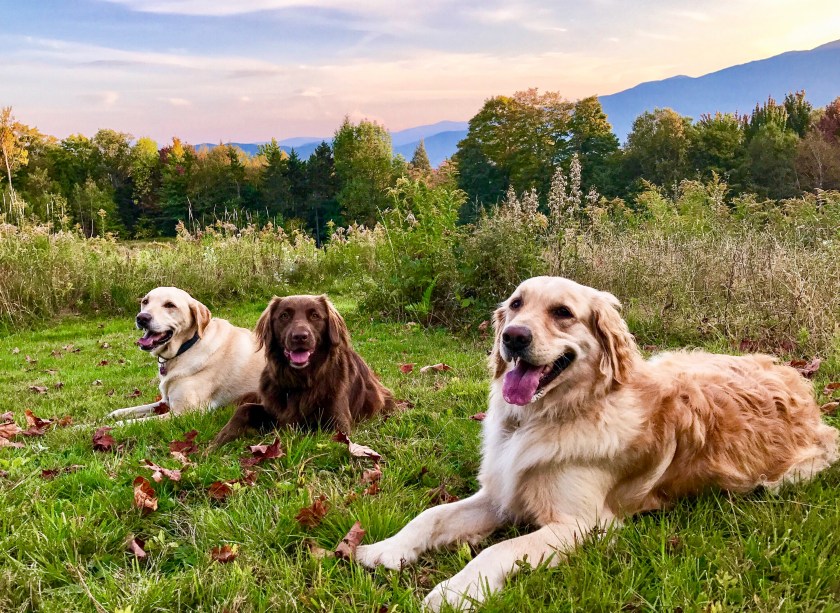
Linus, Charlie Brown, and Lucy take a break during our evening stroll.

Wednesday, September 27, 2017.

A gentle reminder: Dear readers, I’ve only had two of you send in dog photos for my October post! I am grateful to those faithful two, but I’d really like to show photos from a few more of you – especially if you have found my photography tips helpful!  So please give portrait shooting a go and email your images on or before October 1, 2017 (that’s this Sunday) to me at silvernaildesign@gmail.com. I won’t sell your images or give them to any other party to use, I promise.

If you don’t have a dog, I will post your portrait of another pet or a favorite person of yours. The idea is to have you try the tips I gave you to see if they help you take a better picture. (I’m betting they will! To review my last post, please click here.)

In addition to sending your portrait to me, I’ve found a few more places for you to submit your dog’s photo. Two of the three are time-sensitive, so start snapping!

  1. Orvis is looking for a catalog cover dog. Submit your photo by September 30, 2017.  Prizes, Orvis merchandise, and the coveted cover are at stake! Check out their gallery of entries for inspiration.
  2. Adventure Dogs Official is an Instagram account that features fun reader-submitted photos of dogs out having a great time. It’s a wonderful account to browse for ideas and just be bow-wow-ed! They are always looking for dogs to feature. Send a high resolution photo with caption and location of pic to advernturedogsco@gmail.com or tag #AdventureDogsOfficial on Instagram.
  3. Smithsonian Magazine is also holding a dog photo contest. Actually, Smithsonian offers many categories for its annual contest. Even if you don’t want to enter, it’s worth browsing through the submissions. (I feel so boring and landlocked after I viewed some of the wonderful entries. Maybe I just need another glass of wine.) Contest entries are due November 30, 2017. You must create a profile before you can submit a photo.

If you have any questions, please send an email to me or use the contact form, below. Thank you for your participation. I’m looking forward to seeing your photos! 

Kind Regards,

Rebecca

wagmorevt.com

← Back

Thank you for your response. ✨

Picture Perfect Dog Portraits, Take 2

dogs, How-to, photography, Uncategorized

Lucy on a sleepy Sunday morning

Fayston, Vermont.  Still struggling with taking a decent photo of your dog? To follow up on my post from May 7, 2017, Picture Perfect: Tips for Taking Dog Portraits, here’s a simple exercise to start you on your way to taking better dog portraits. Yes, a little homework – it is back-to-school time – then, please send your assignment photos to wagmorevt.com and I’ll post them next month.

The assignment theme: “Let sleeping dogs lie”. I heard from some of you that your dog just won’t sit still long enough for you to take a decent photo. Training tips aside, let’s remove the action bit as much as possible and start with a tired pooch.

Step 1: Take your dog for a good walk. The light will be best for photos in the early (early-ish) morning or early evening, so time your walk with your mission. Tidbit from Captain Obvious: Pick a day that’s not raining or about to rain. You want good light. Wet dog is your call.

Step 2: When your dog settles down for a post-walk rest, take out your camera or smart phone. Hopefully your dog will be some place where you will have natural light, like through a window or outside on your deck. Turn on your camera or the camera on your phone.

img_1211

Charlie Brown does not like mornings. To take this shot, I steadied my smart phone on the deck while I crouched super low, almost lying down, to take the shot.

Step 3: Set up your shot. Focus on the dog’s eyes. (With the smart phone camera open, tap on the screen over the dog’s eyes.) The dog’s eyes will probably still be open, and that’s good. Figure out which way the light is hitting your dog’s face, and set yourself up so that you see that light on your dog’s face. Hold your camera/phone at dog eye level, which might mean getting down on the floor. I do this all the time…

Step 4: Take the picture! Take several pictures: Try different angles, like above and below your dog, and take multiple shots. Try moving in very close for just the face, then farther away for the whole dog.

img_1648

Linus rests after his morning walk, Note how the soft light coming through the windows hits his face from the right side and behind him.

Step 5: Edit your image. Simply using the auto-enhance feature in iPhoto (or whatever you have) is often all you need. If you still have a lot of shadows, move the shadows slider in iPhoto to the right to lighten the shadows. Use the brilliance slider to lighten up dark photos, too. Cropping unnecessary bits will help your composition by “focusing” the attention on your subject.

Step 6: Send your finished image to wagmorevt.com! I’d love to see them, and I’ll share them in next month’s post. Please tell me your dog’s name, your name, and where you took the shot (town, state, and then anything else – living room, under the bed…) Your deadline for inclusion in the next post is Sunday, October 1, 2017.

Email photos and information to: silvernaildesign@gmail.com

Note: If you don’t have a dog, improvise! A cat, a teddy bear, your spouse;-)

Have fun!!! And, happy snapping!